
Case Study
Quote Automation Service in Electronics Procurement

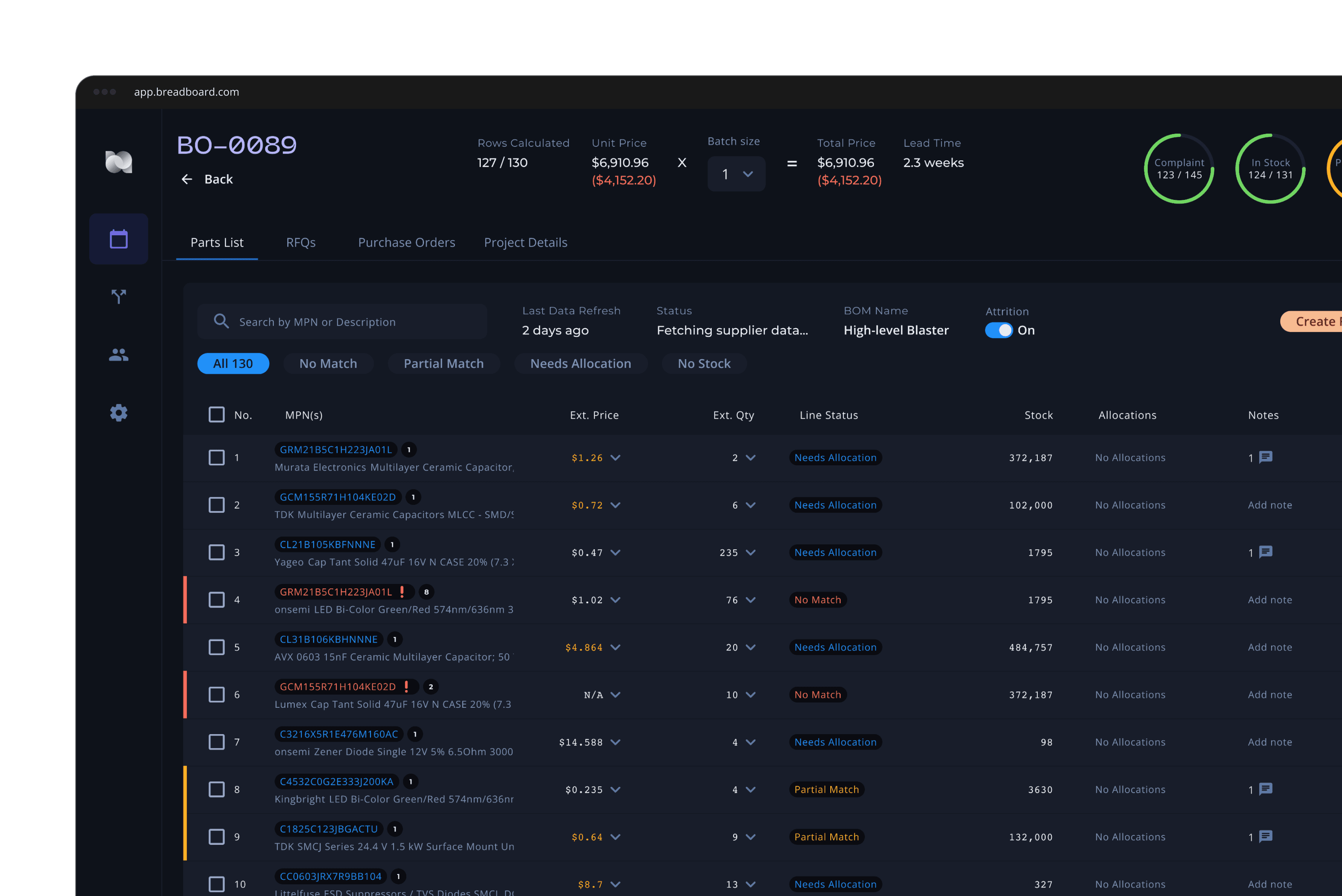
About Breadboard
Breadboard handles Printed Circuit Board component sourcing by allowing users to upload a Bill of Materials file. Based on that we are showing price, stock and availability from selected suppliers for the user to source from.
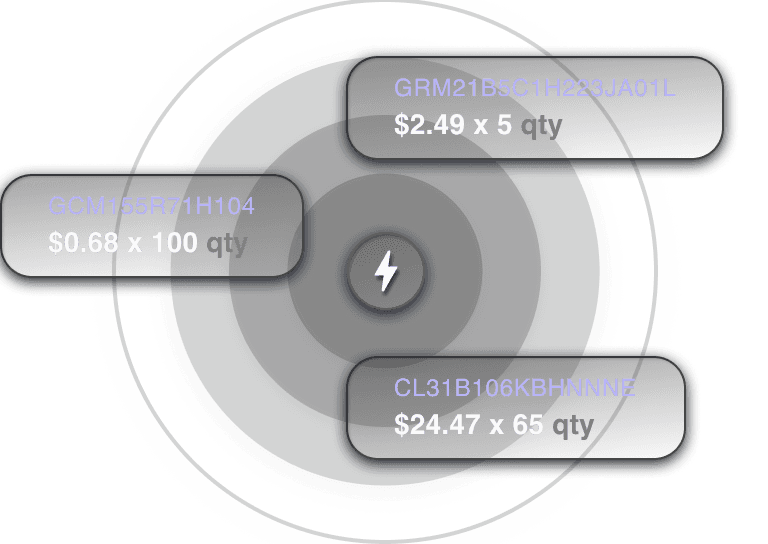
Focused on Printed Circuit Board Component Sourcing
Breadboard focuses on sourcing components for PCBs. The platform shows real time market pricing for components.
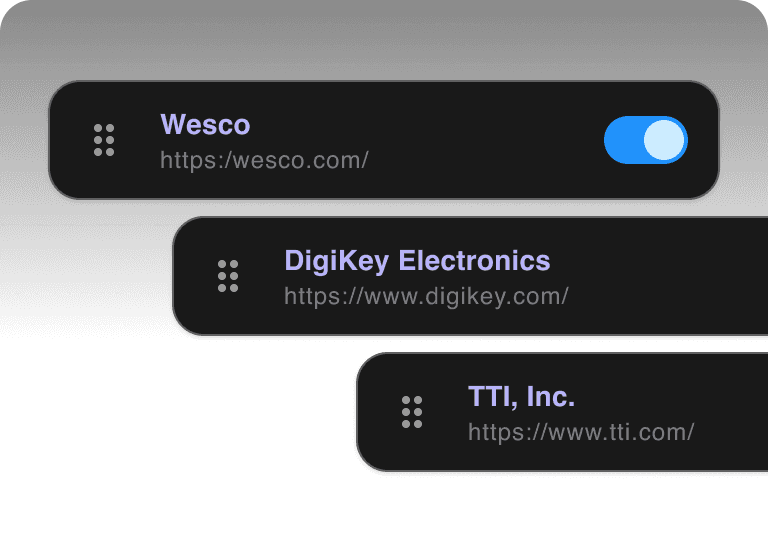
Connects to supplier databases to pull real time information
Get prices in a matter of seconds. Manage total manufacturing costs and lead times automatically. Monitor supplier stock levels.
Works with any data format input
Breadboard doesn't care if it's an Excel or a PDF that gets uploaded, users can extract the required information to quote regardless.
The Project Scope
Build an automated, email-based Request For Quotation system. Research competitors, design interaction flows and pair with engineering on the implementation
I as a user...
Want to be able to get quotes on my custom parts directly from my suppliers.
I as a user...
Want to be able to negotiate prices with my suppliers directly without an API.
I as a user...
Want to be able to gather information from suppliers who lack API integration.
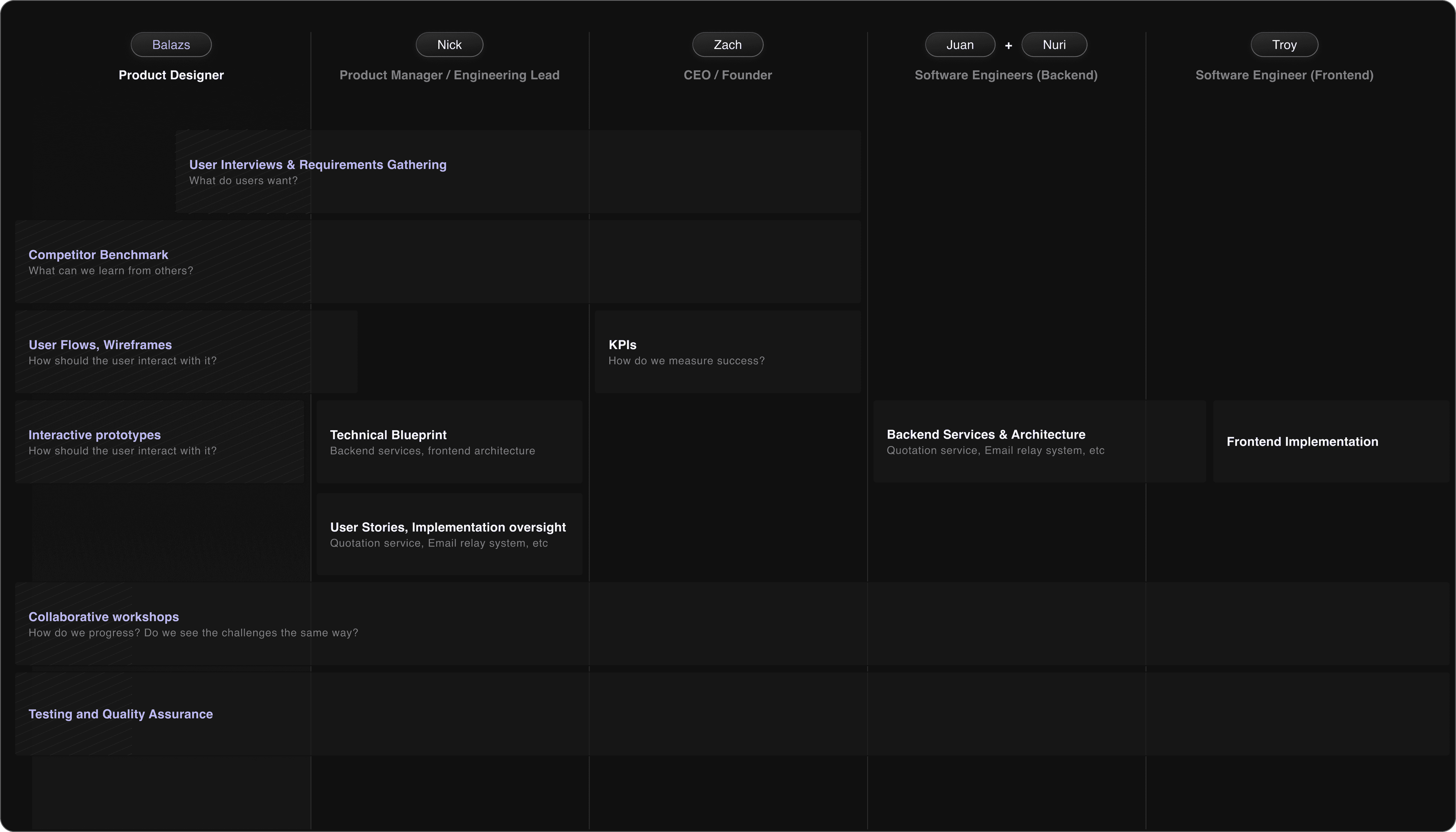
My role as a Senior Product Designer was to build an understanding of the feature requirements, user needs, technical constraints and translate our conceptual ideas into interactive prototypes we can build from.
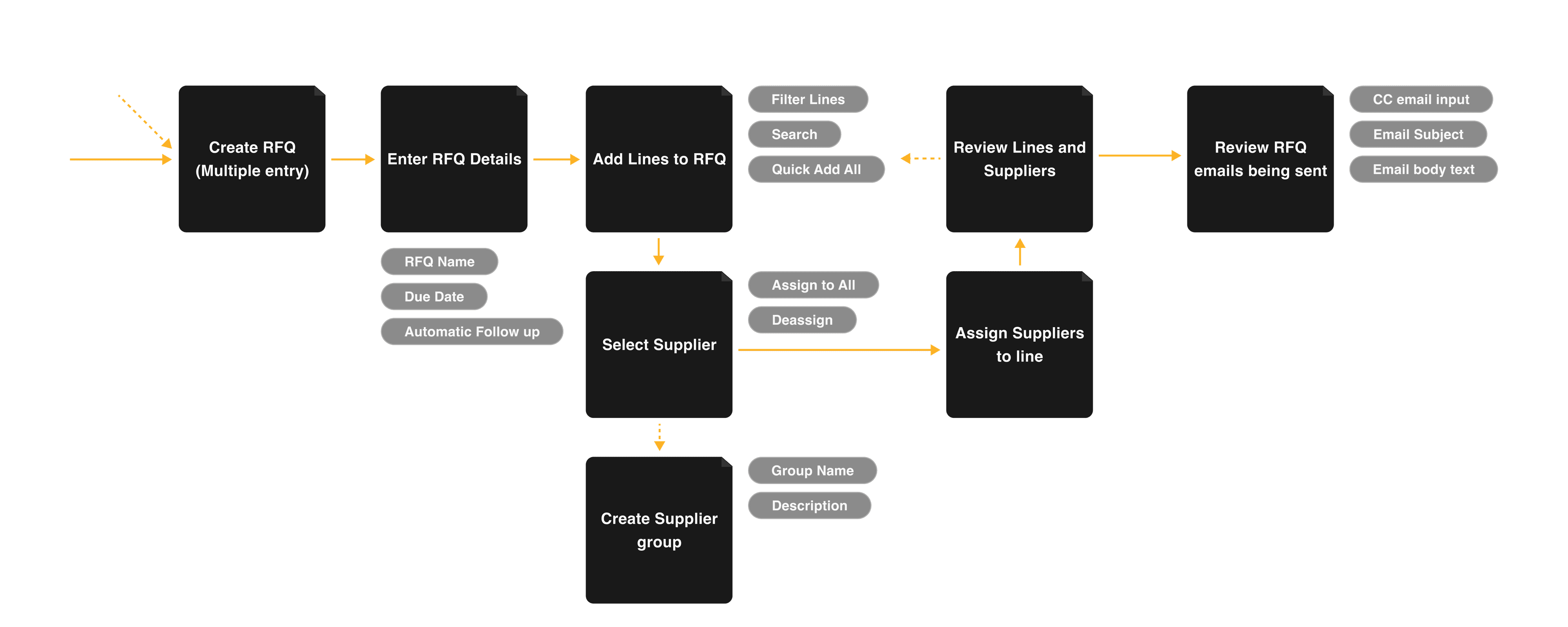
RFQ Creation Flow
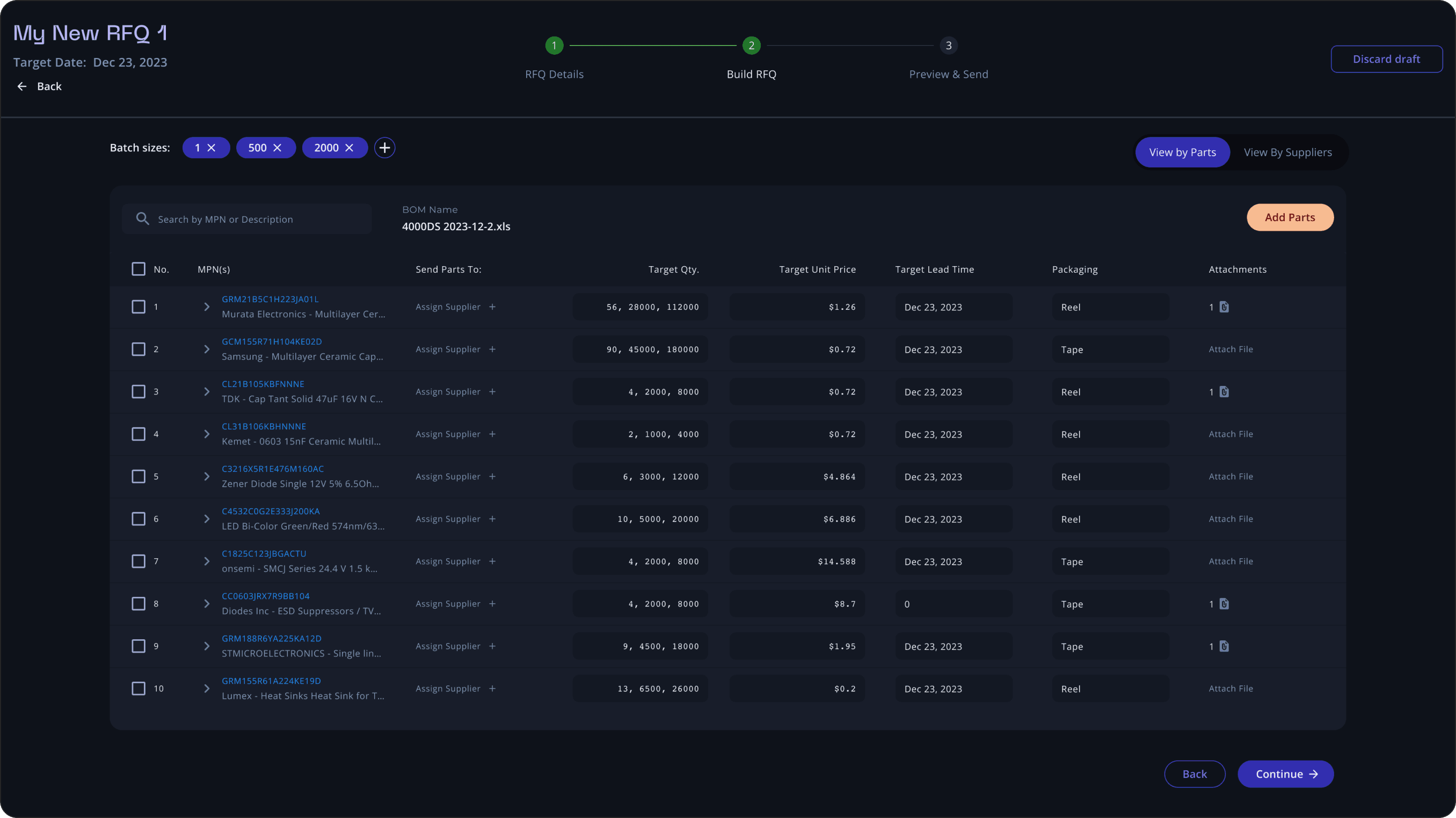
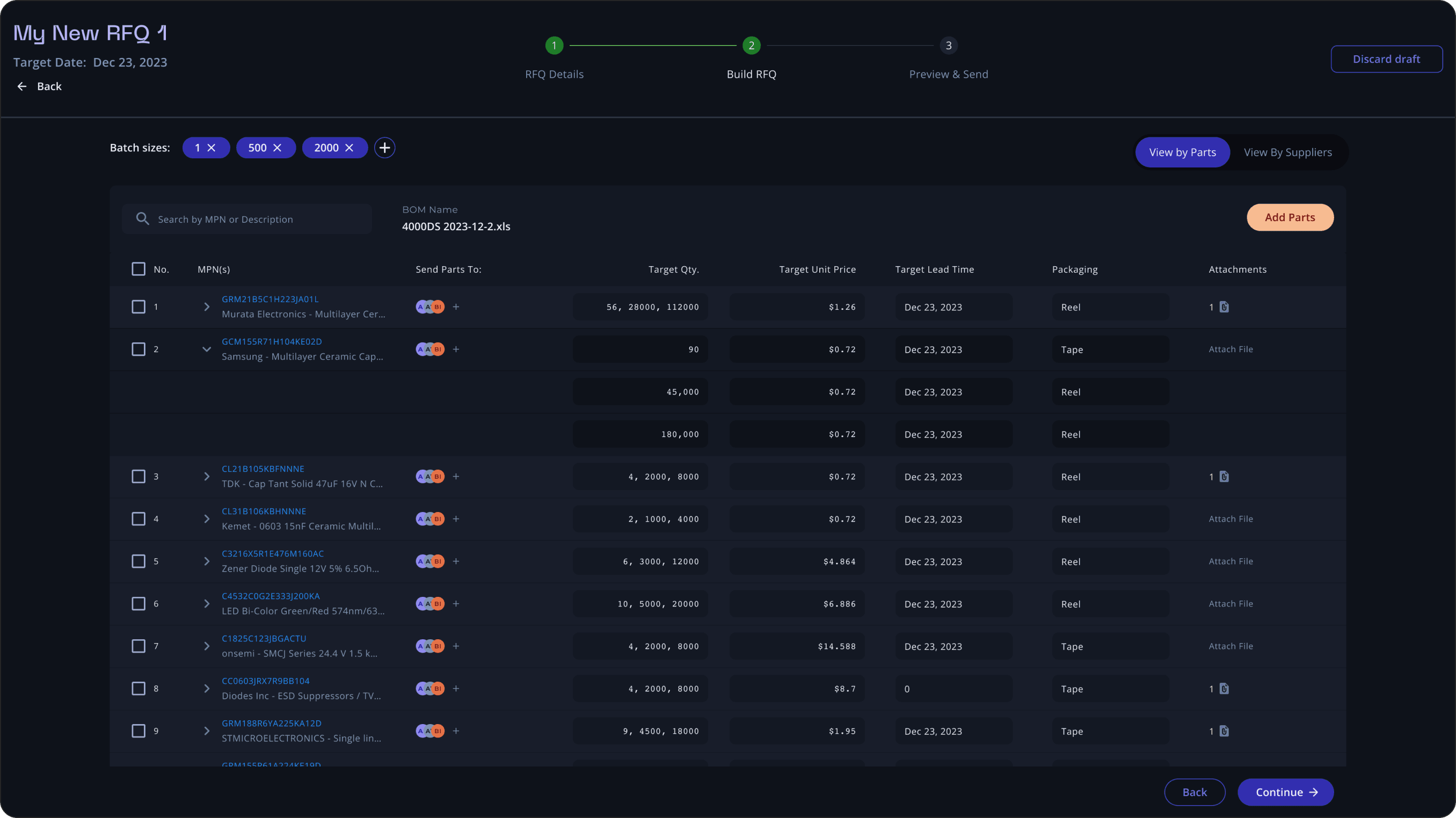
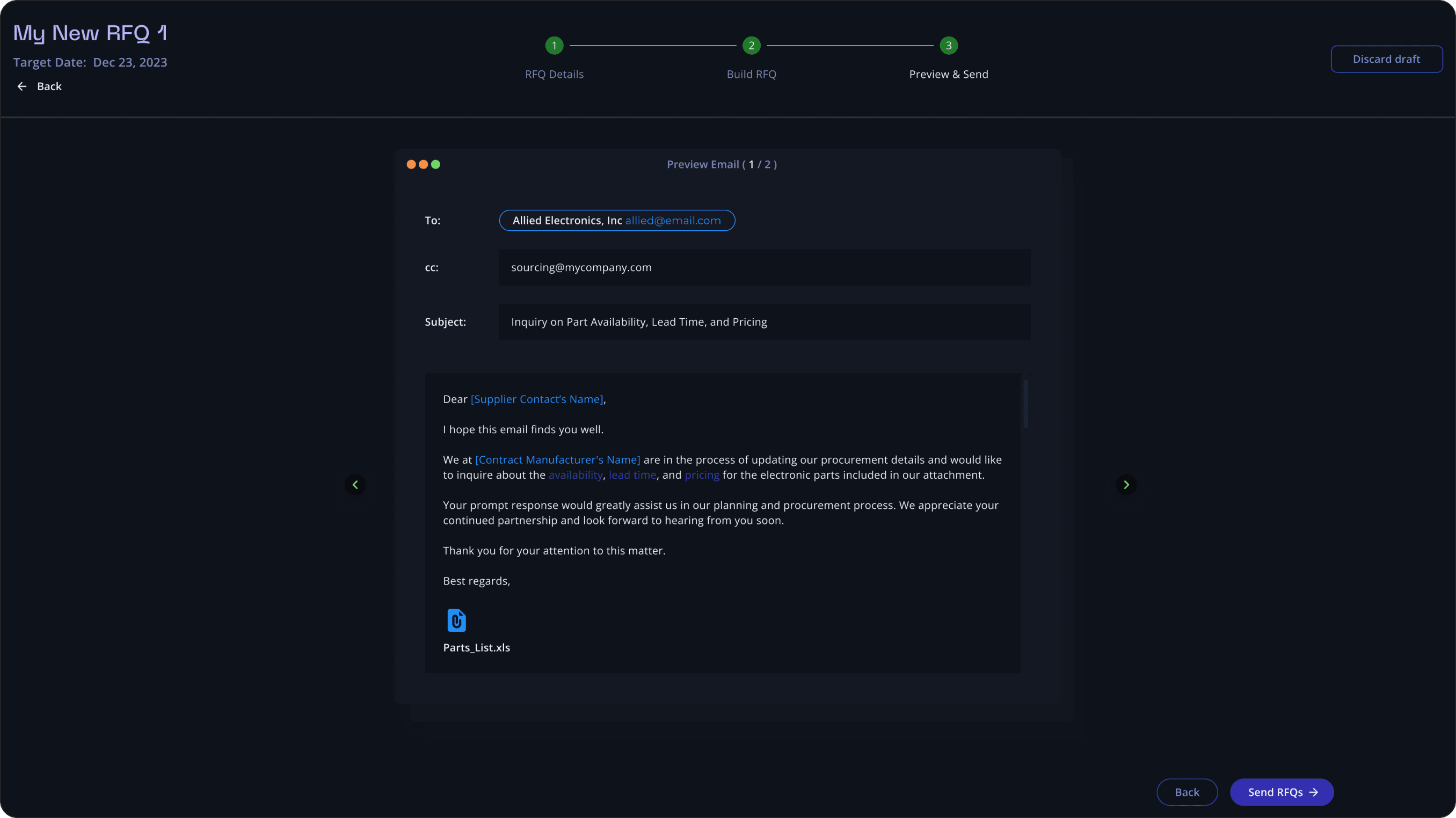
I as a user want to be able to create an RFQ, assign lines to my RFQ and select what suppliers I want to send them to. Actor: Breadboard User
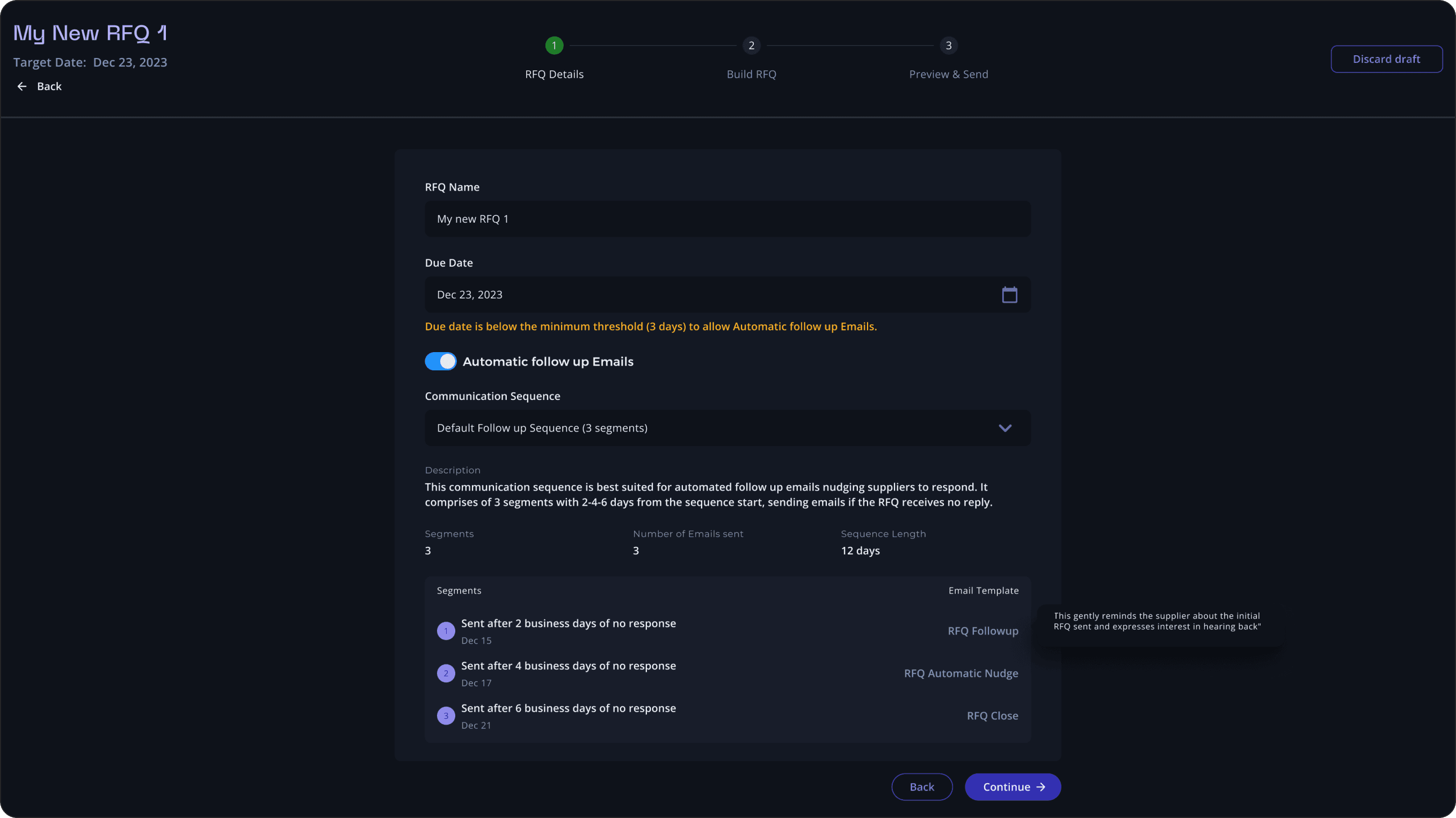
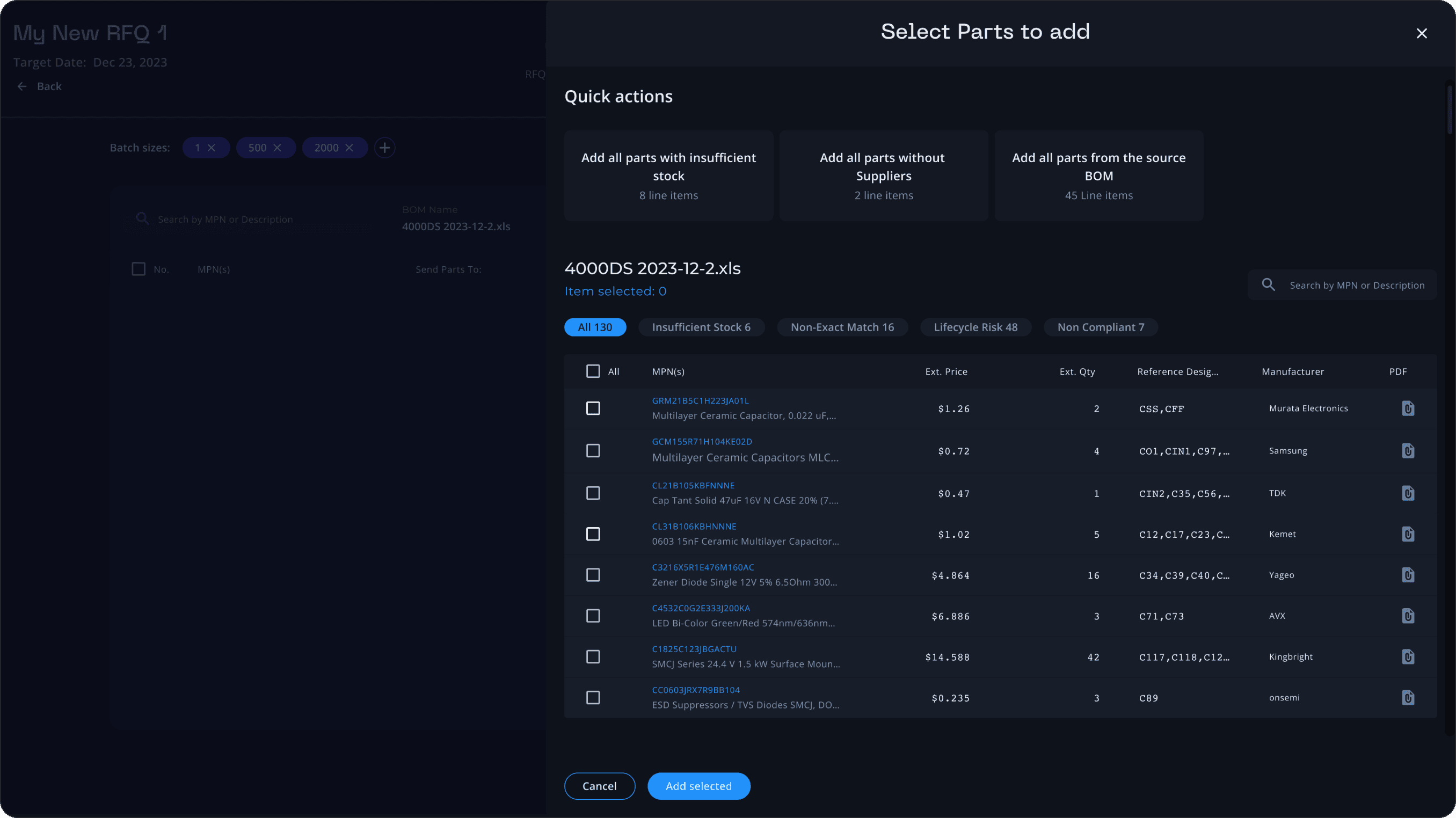
RFQ Management Flow
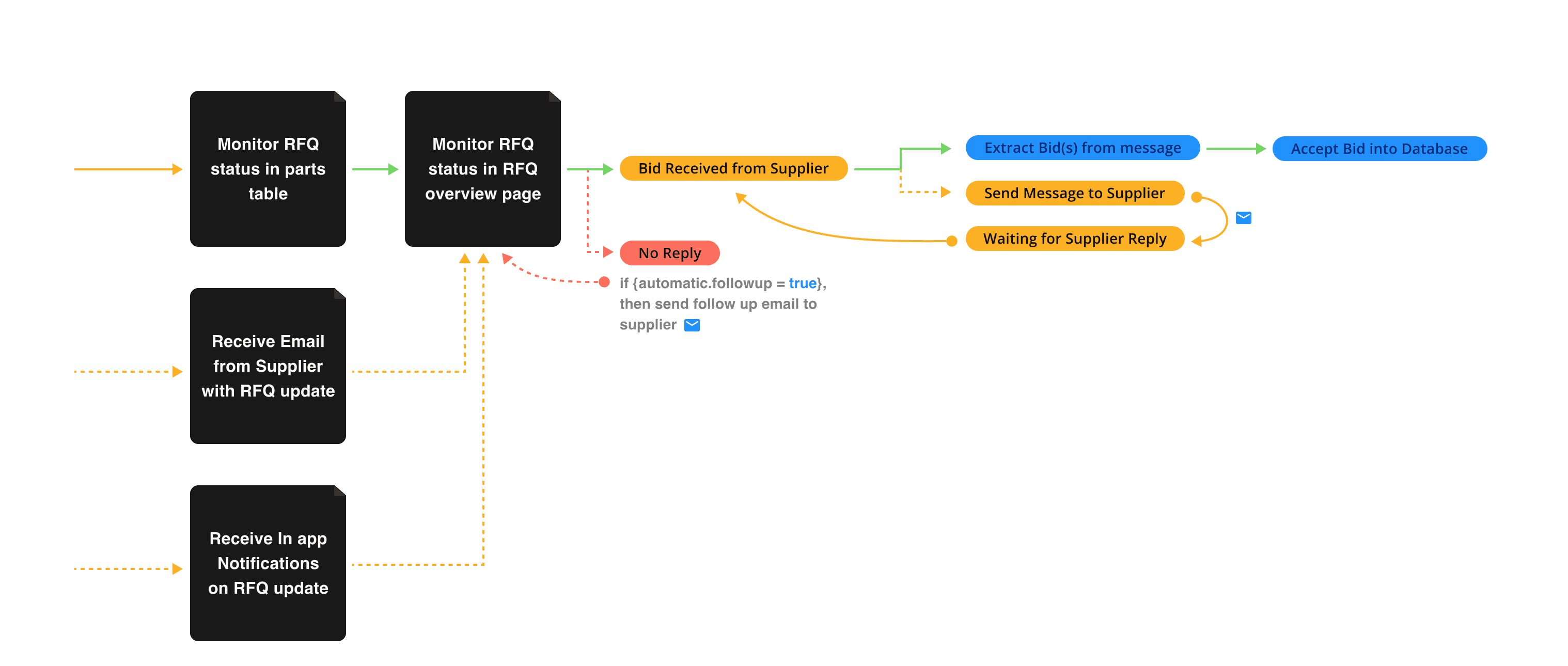
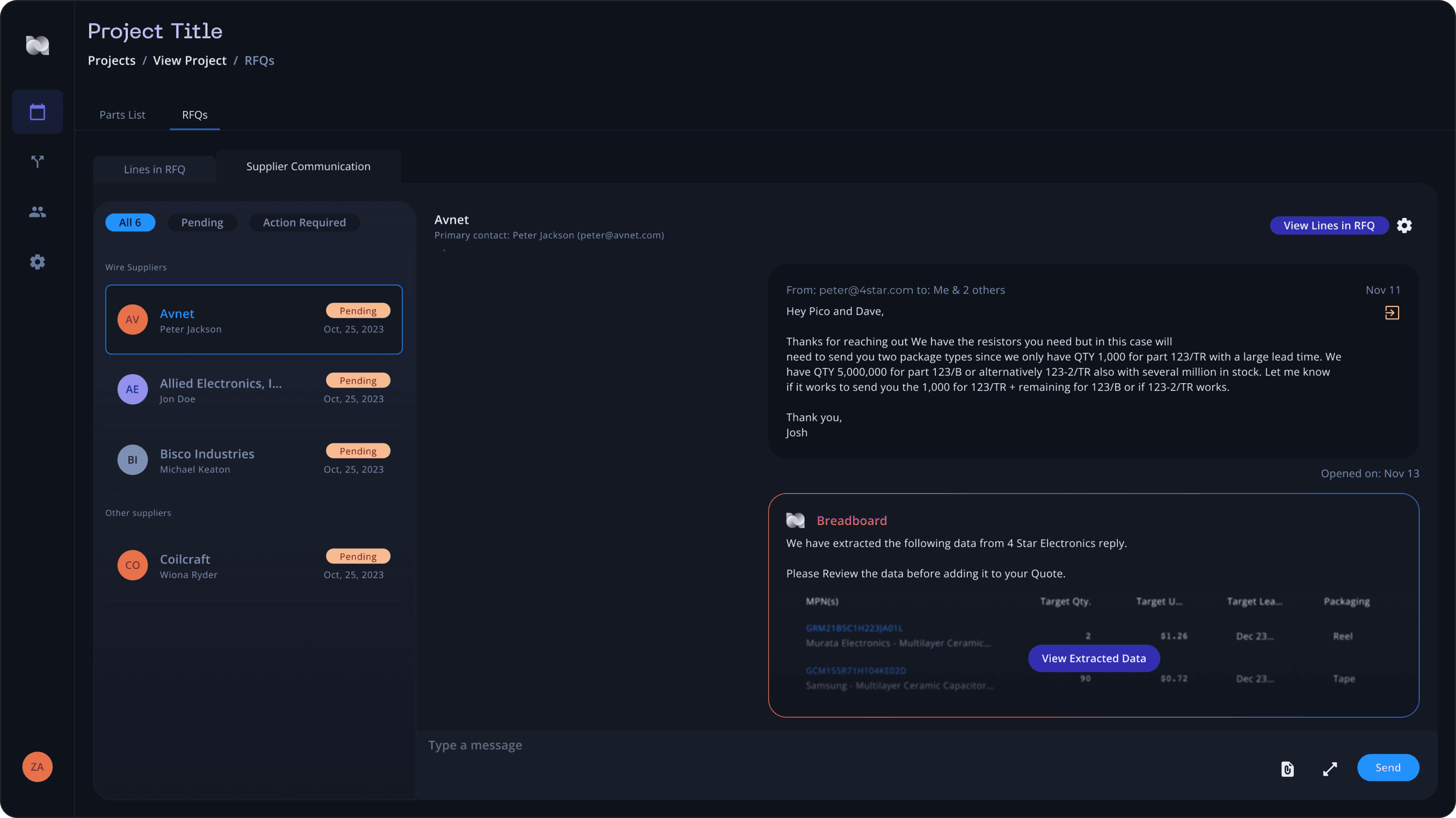
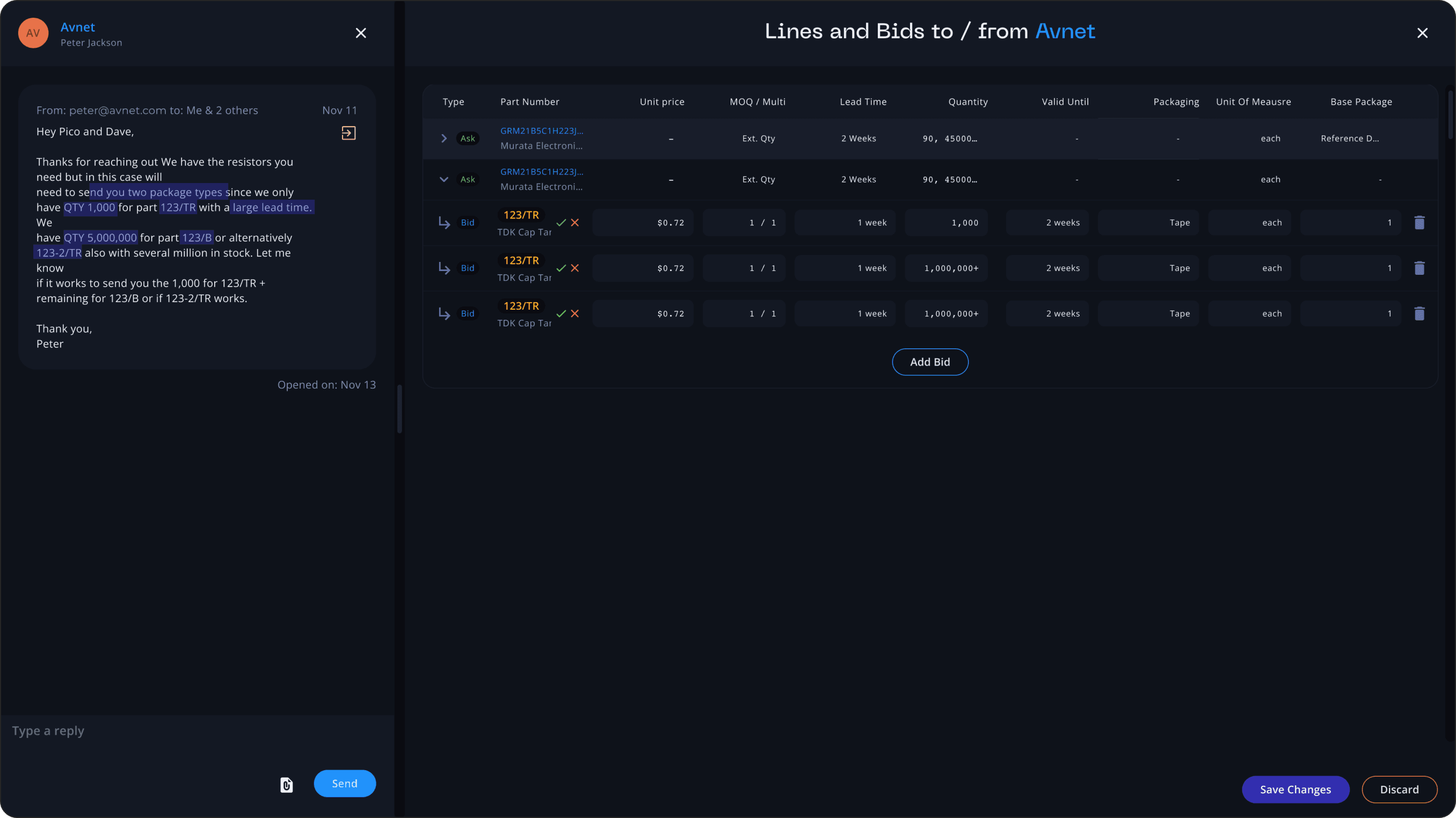
I as a user want to be notified if I receive an update on an RFQ I sent out. I want to be able to send a follow up message, extract the bid from the suppliers message and accept it into my database. Actor: Breadboard User
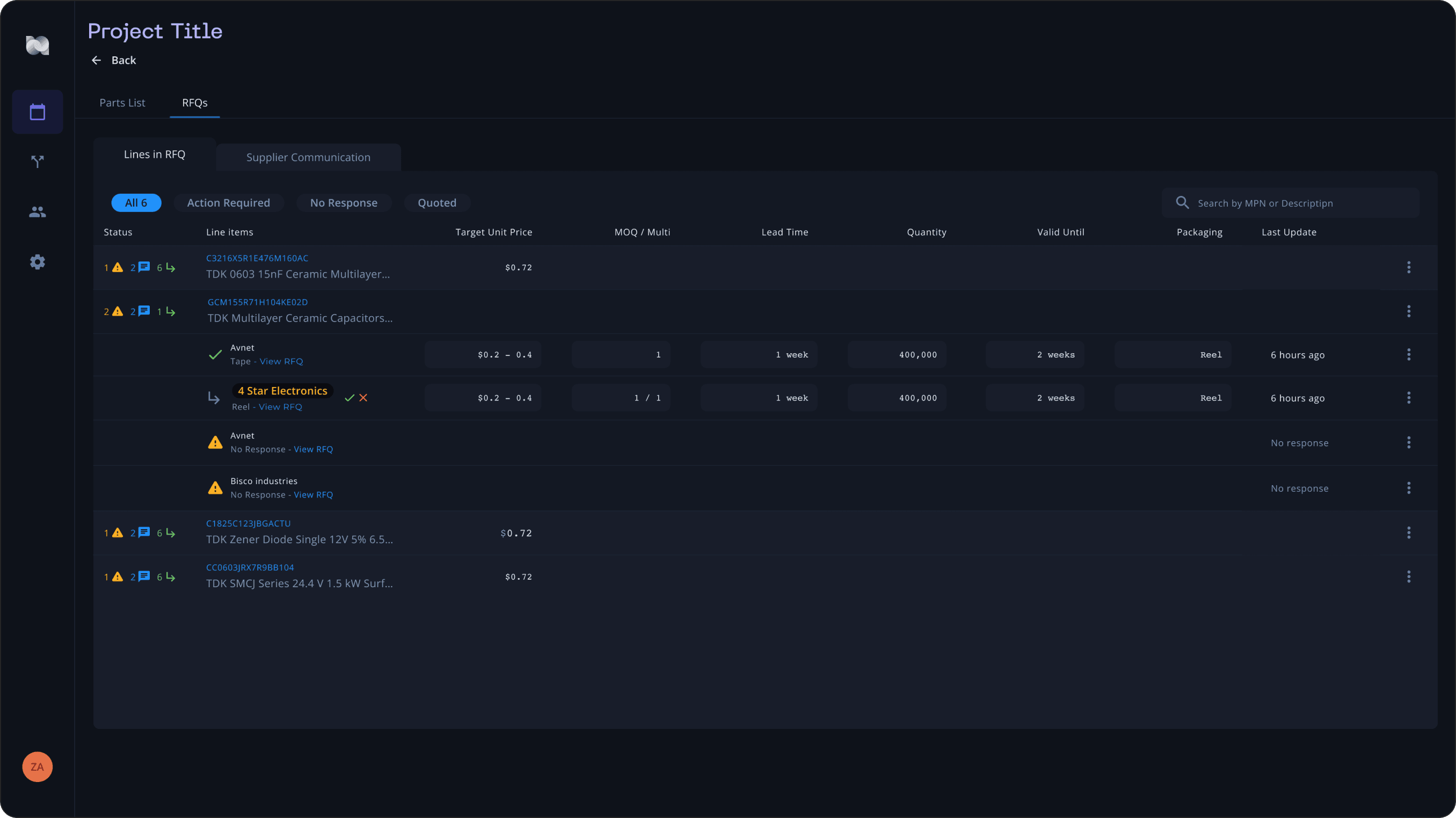
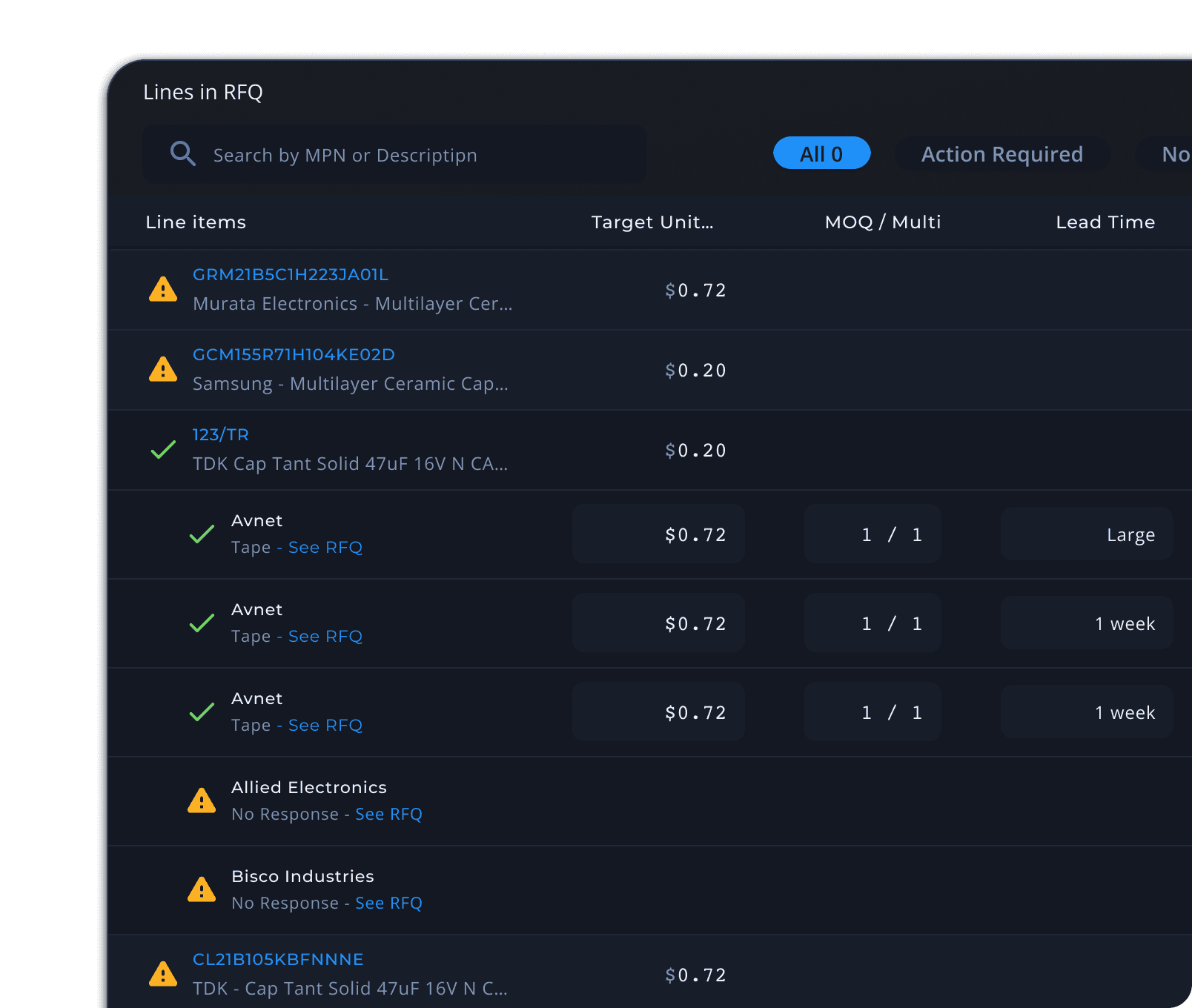
Lines in RFQ
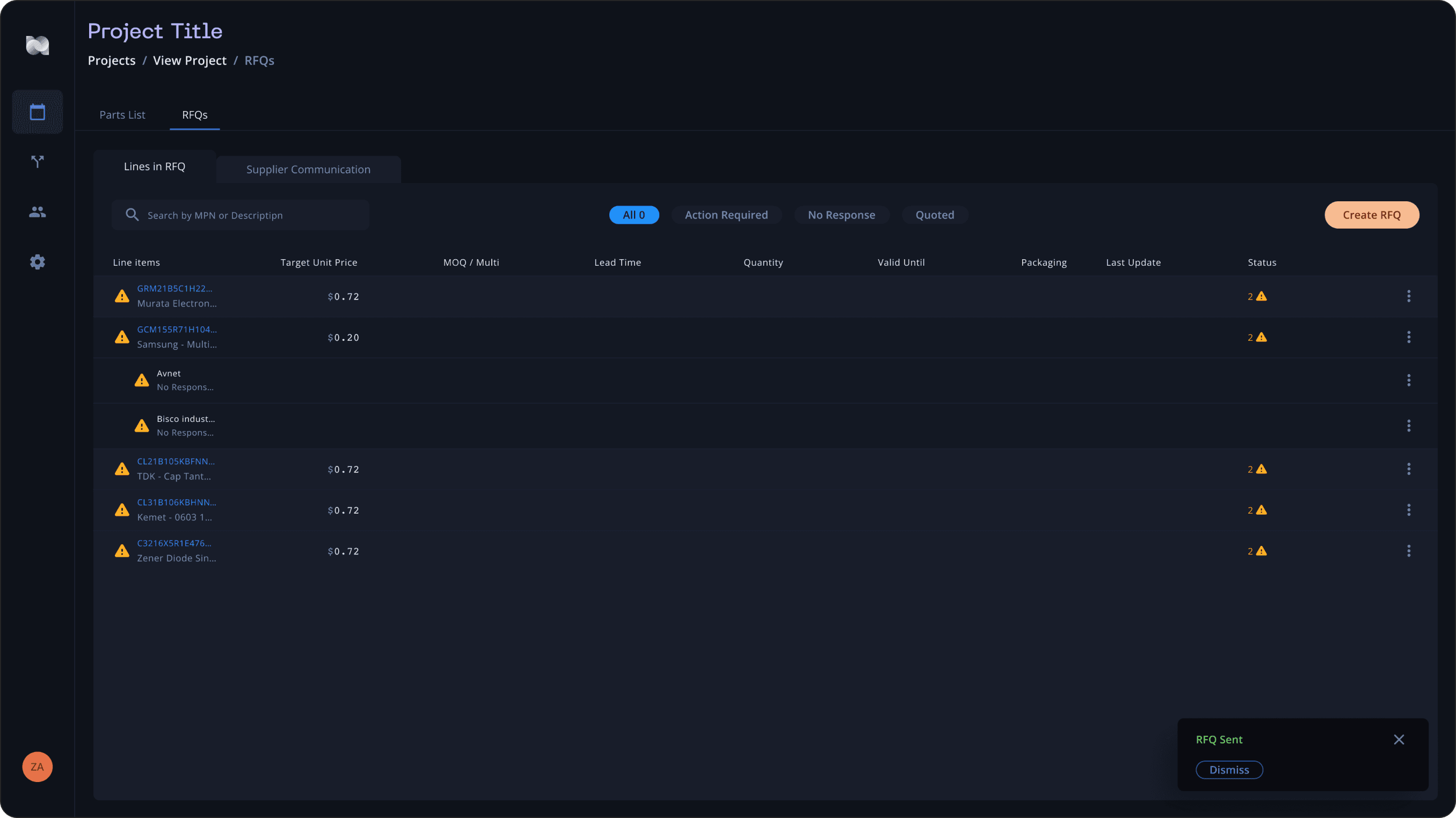
Users can get a quick overview of what lines are out on an rfq within their projects. Bids and updates from suppliers will be reflected here for the user to take action on.
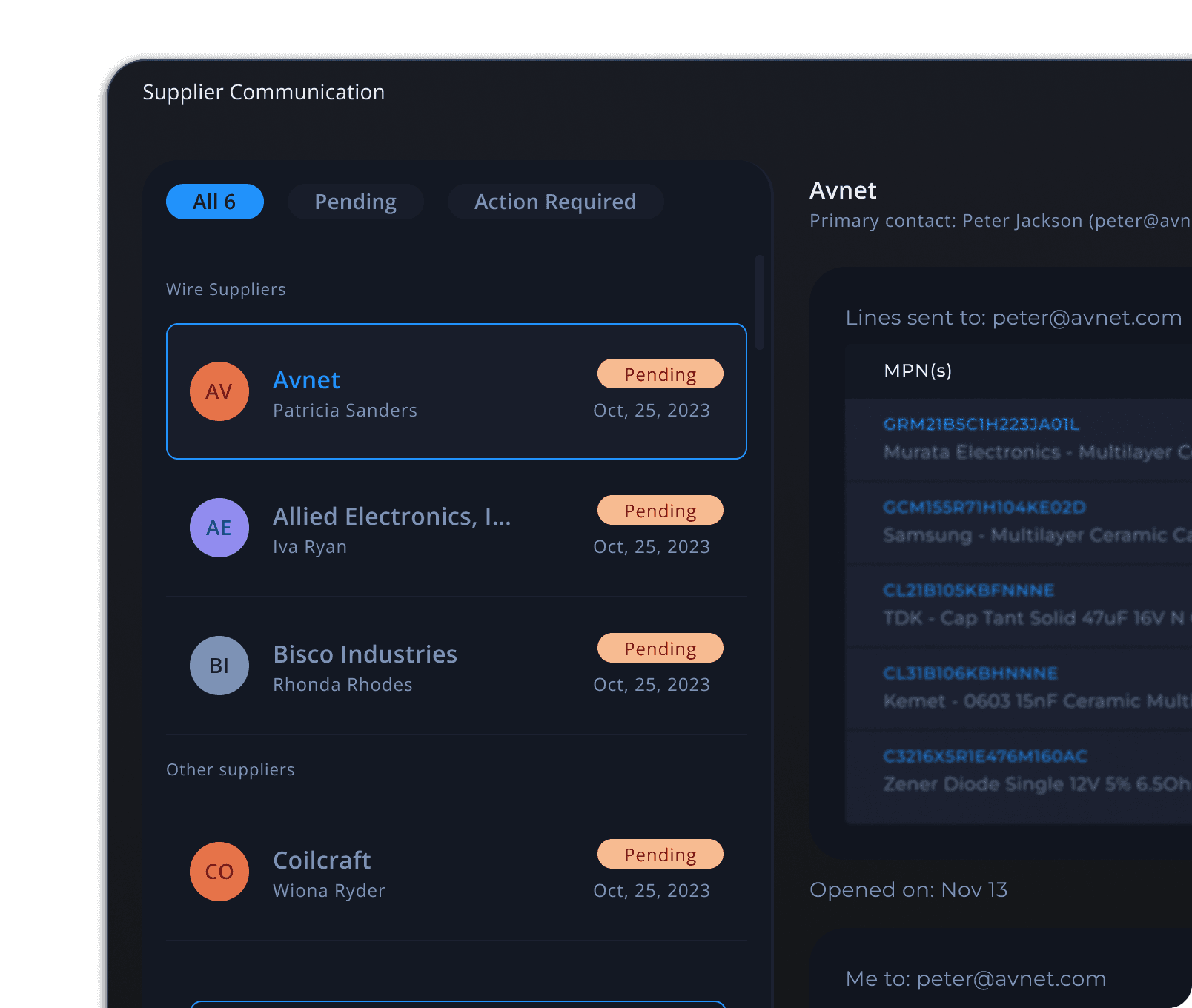
Supplier Communication
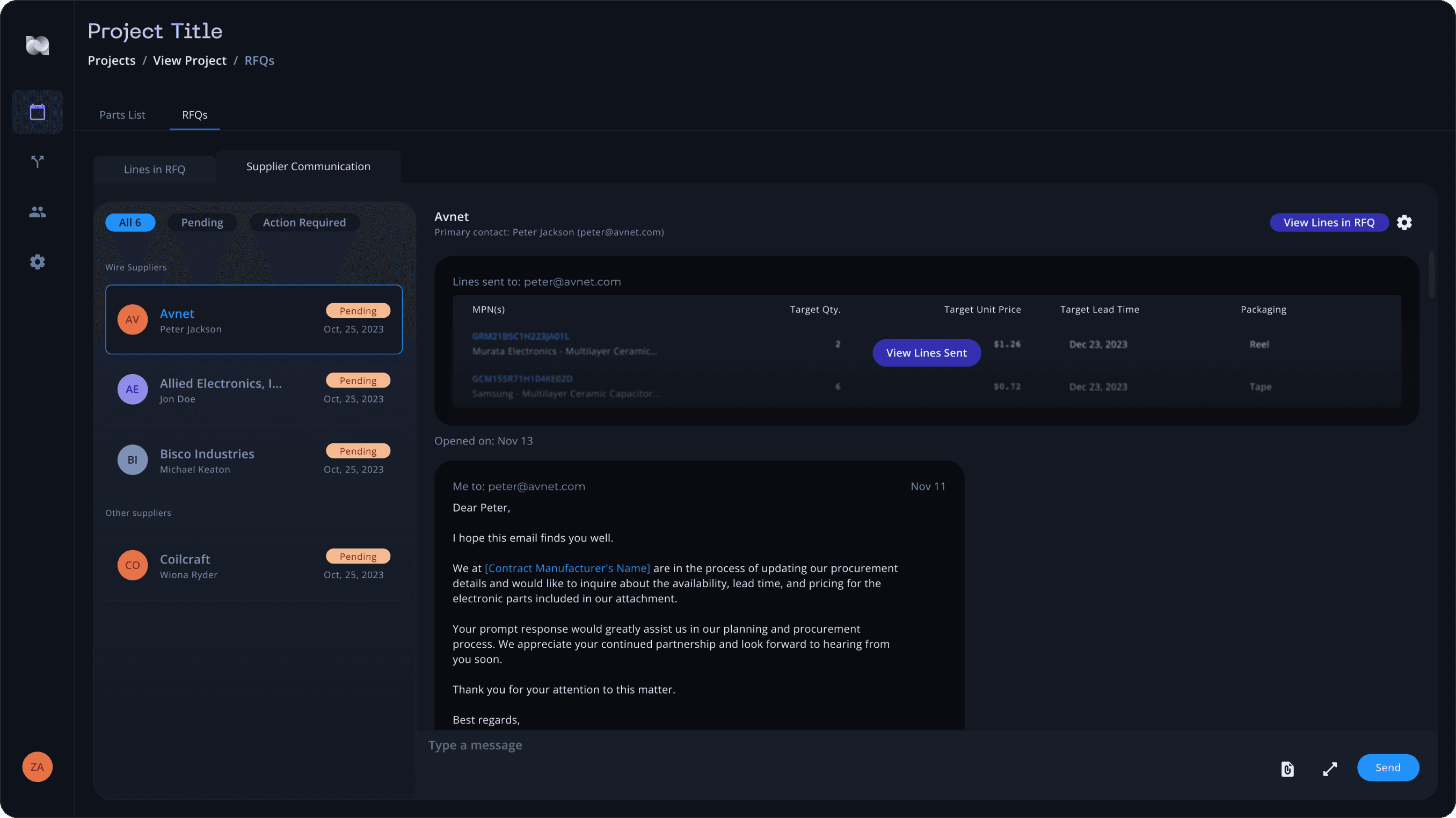
Users can continue the conversation with suppliers in their inbox, even if they don't have breadboard open. We forward all email conversation into breadboard with all the data being sent.
Core Team Members
Balazs Korcsog - Lead Product Designer
Daniel Guldberg Aaes - Co-Founder + CEO
Samuel Hjelmfelt - Frontend Developer
Maria Bonfanti - Frontend Developer
Support & Feedback
Nick Freeman - VP of Engineering
Zachary Feuerstein - Founder, CEO
Juan Moreno - Software Engineer
Andres Kim Lee - Software Engineer
Nuri Ra - Software Engineer
Troy Kelley - Software Engineer
Emma Schroeter - Customer Success
Matt Rosenberg - Account Executive
Kevin Sheehan - Account Executive
