
Case Study
Personal Finance Community

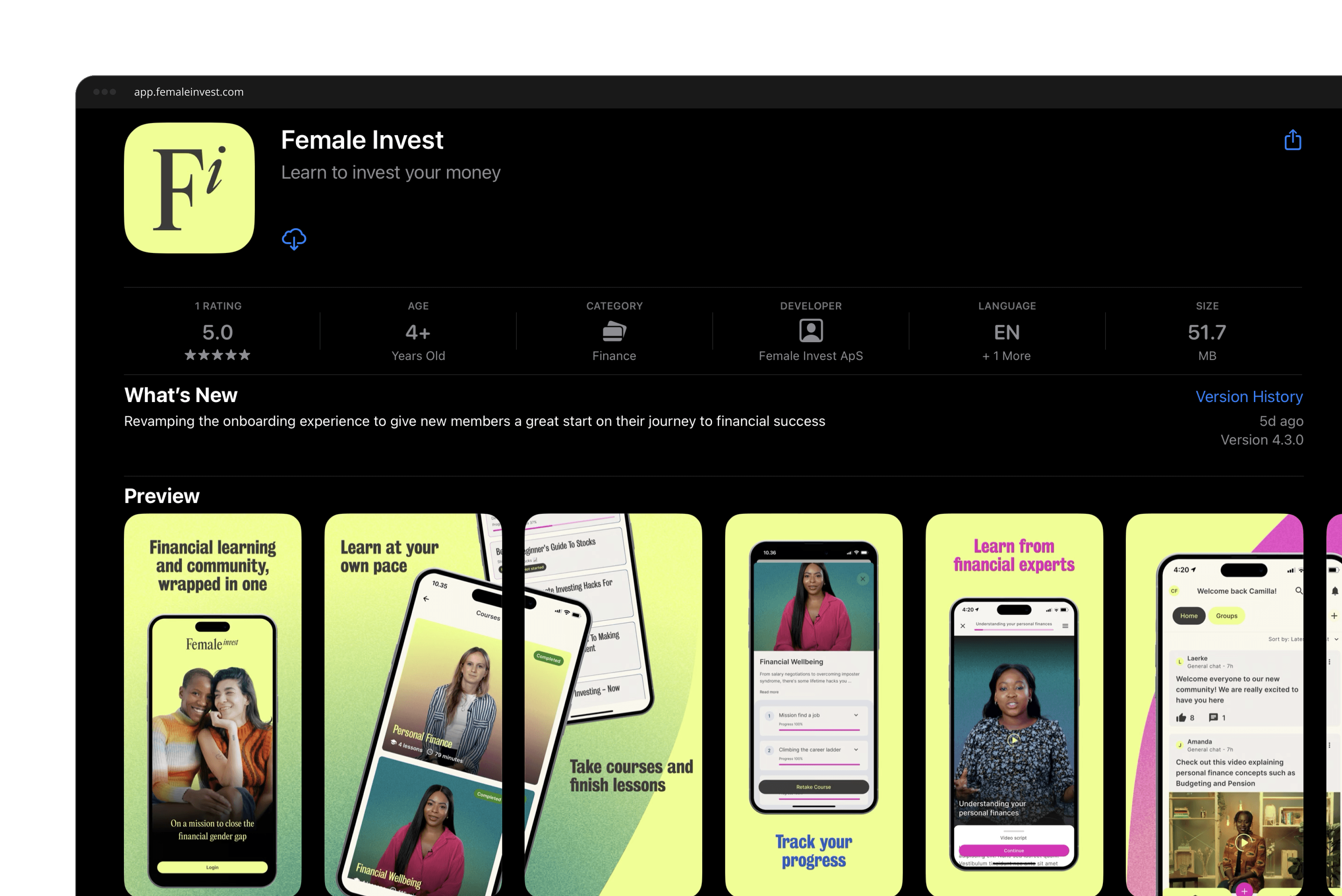
The Project Scope
Build a native Mobile app and a CMS supporting course content creation. Release on the iOS and Google Play store
I as a user...
Want to be able to access Female Invest's personal finance courses on my mobile device.
I as a user...
Want to interact and communicate with members of the Female Invest community.
I as a user...
Want to make sure our users' data is kept safe and we retain control of the data storage.
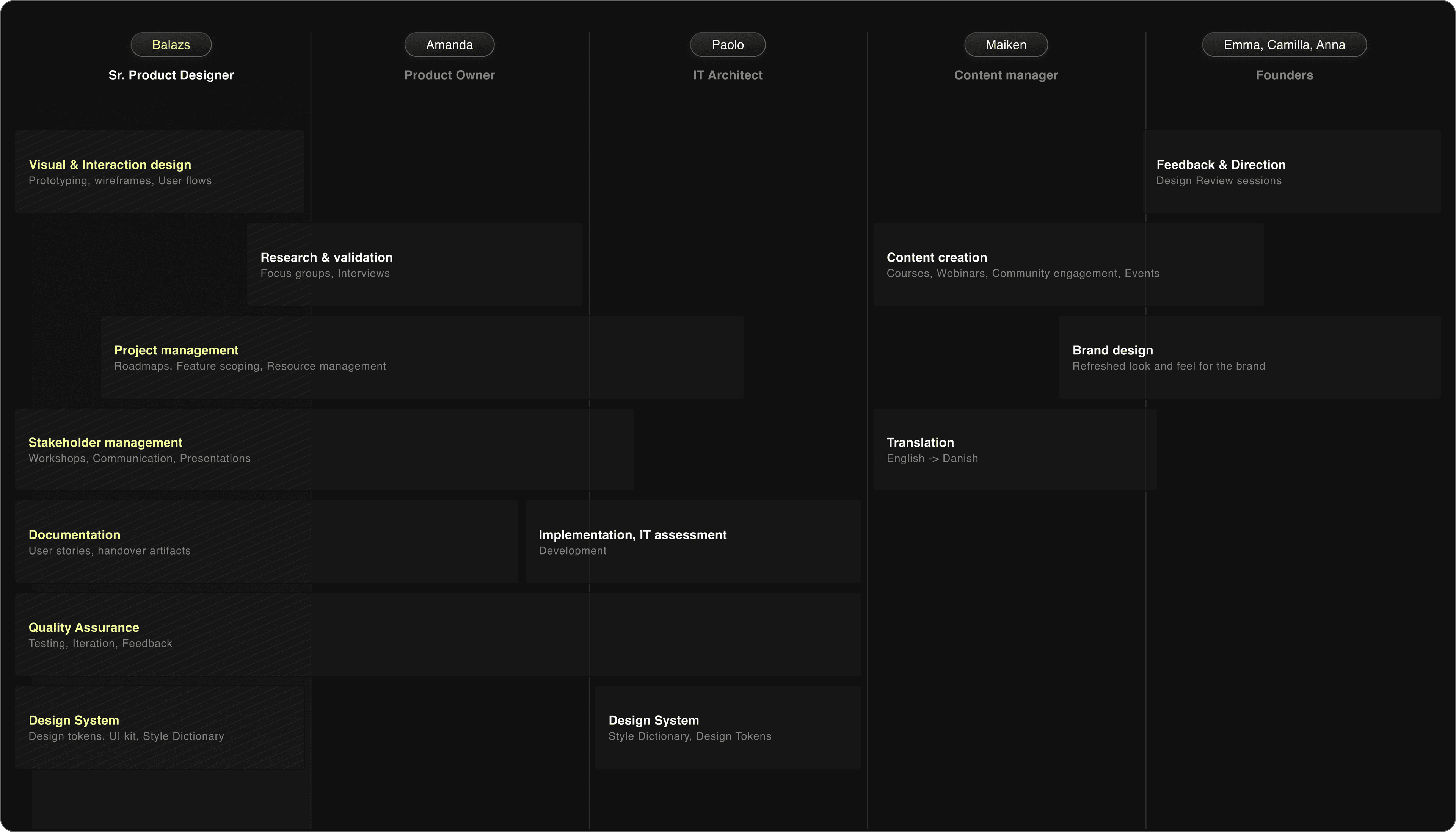
My role as a Product Designer was to understand the business and user requirements, establish the basis of the interaction design framework and design the mobile app from the ground up.
Designing the course player for mobile
Course player experience customized for mobile use
We rebuilt the course player around mobile-first patterns — a focused reading view, a sticky module header and an accordion syllabus — so members can learn comfortably on the go.
Custom CMS designed and developed just for Female Invest
We designed a bespoke CMS so the Female Invest content team could create, structure and publish course material themselves, without engineering involvement for every update.
Worked with the content team on revamping 5 courses
Partnering closely with the content team, we restructured five existing courses into the new mobile format, refining pacing, hierarchy and module breakdown along the way.
Course UX is a combination of reading, watching and completing quizzes
Each course blends reading, video and short quizzes, so members can absorb a concept, see it in practice and check their understanding as they progress.
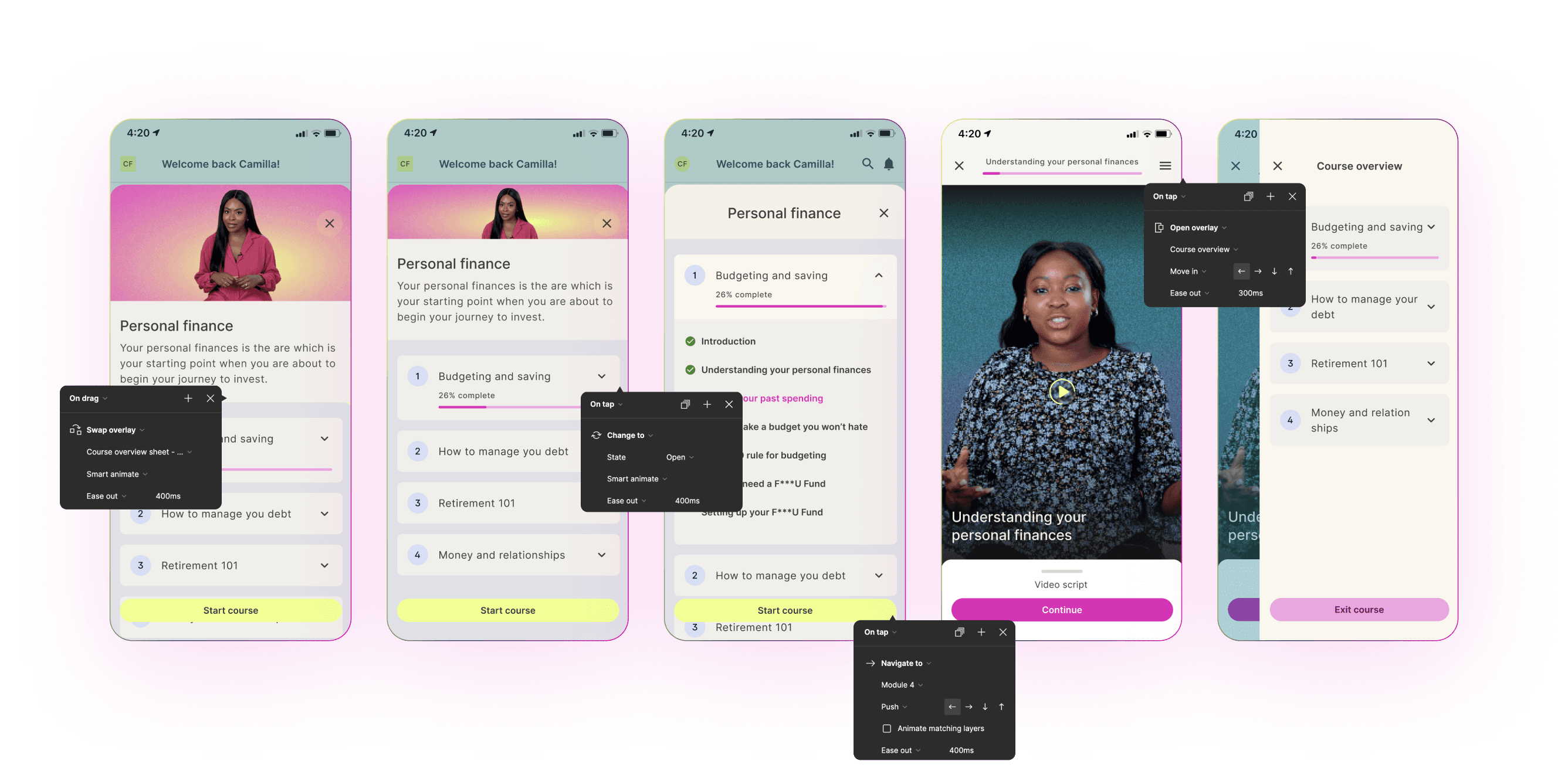
From left to right: Opening course overview, in-line scrolling with sticky header, accordion component holding course syllabus, watching course video module, In course navigation
Enabling users to ask questions and interact with each other
Users can join the community to interact and learn from each other
One of the key pillars of Female Invest is community engagement. Our mobile app had to enable members to interact with each other to learn and grow together.
Gain access to an Infinite Scroll Feed, stay up to date with notifications
When users join our community they consume content by scrolling their home feed, which can be customized based on who they follow or what topics they are interested in.
Took UX Design inspiration from Twitter, Reddit and other social media forums
Just like on Twitter or Reddit, users can organize conversations by following groups or other people.
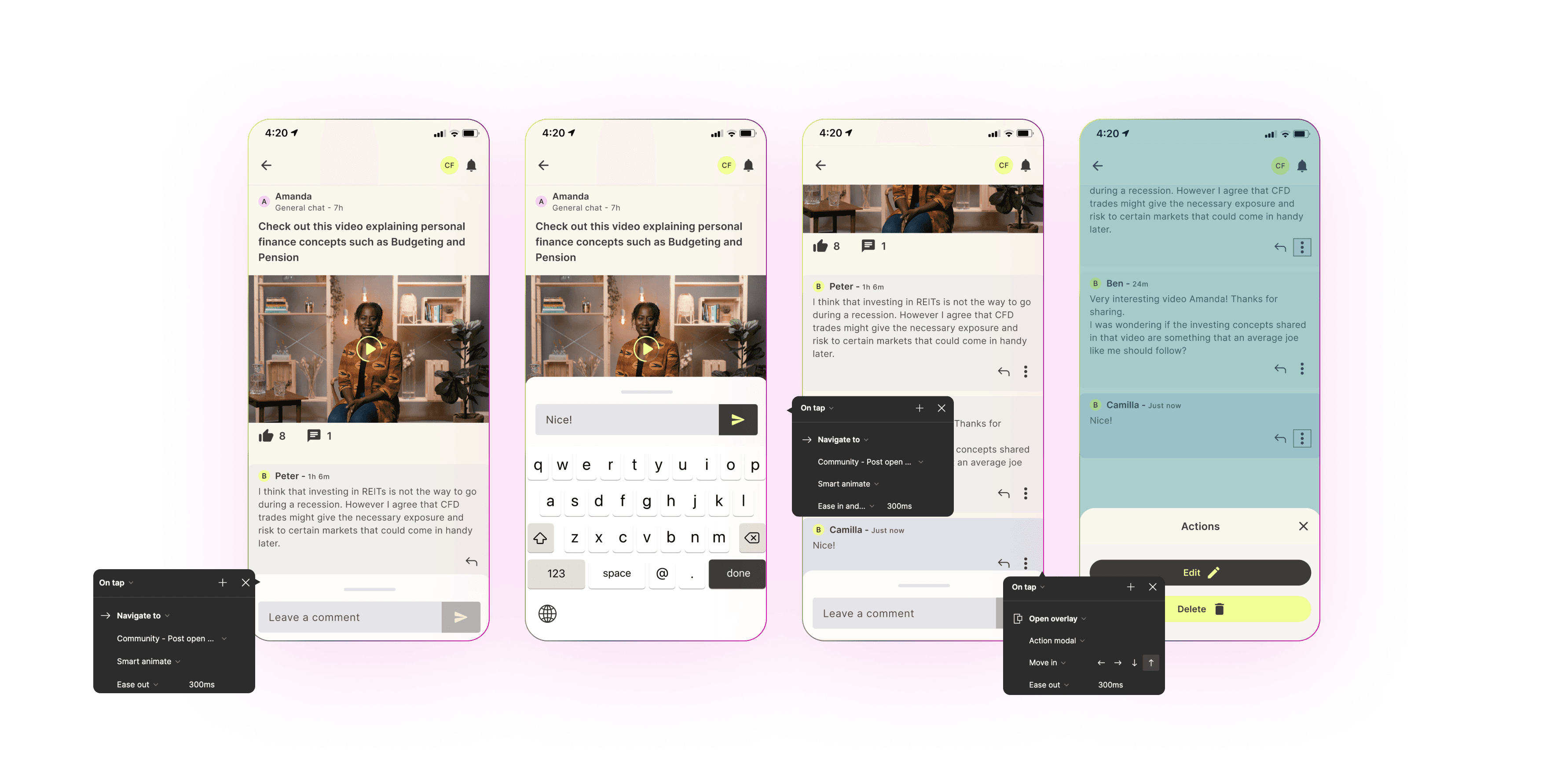
From left to right: View Post, Make Comment, Posted Comment, Edit / Delete
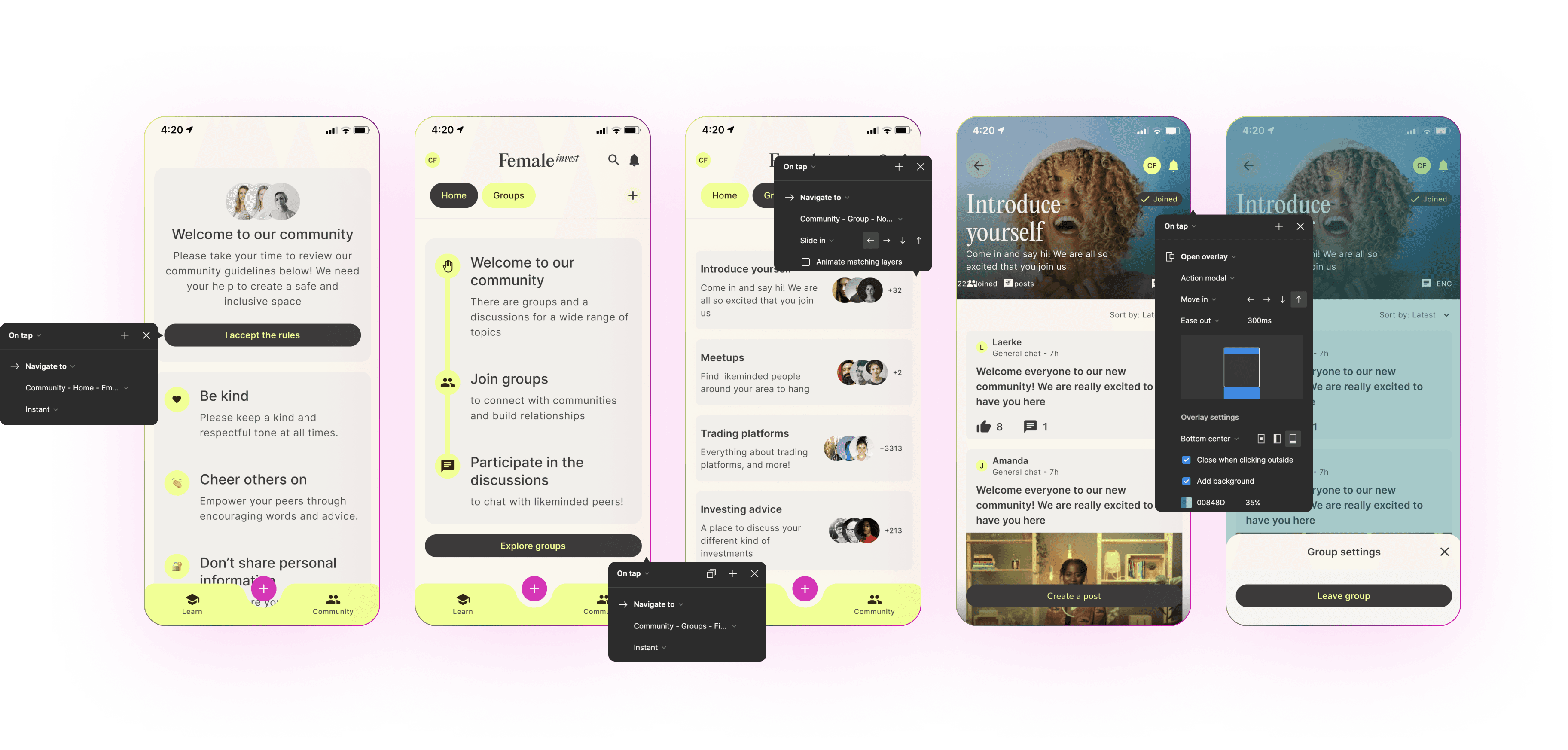
From left to right: Accept community rules, Explore groups, Groups Overview, View Group, Group settings
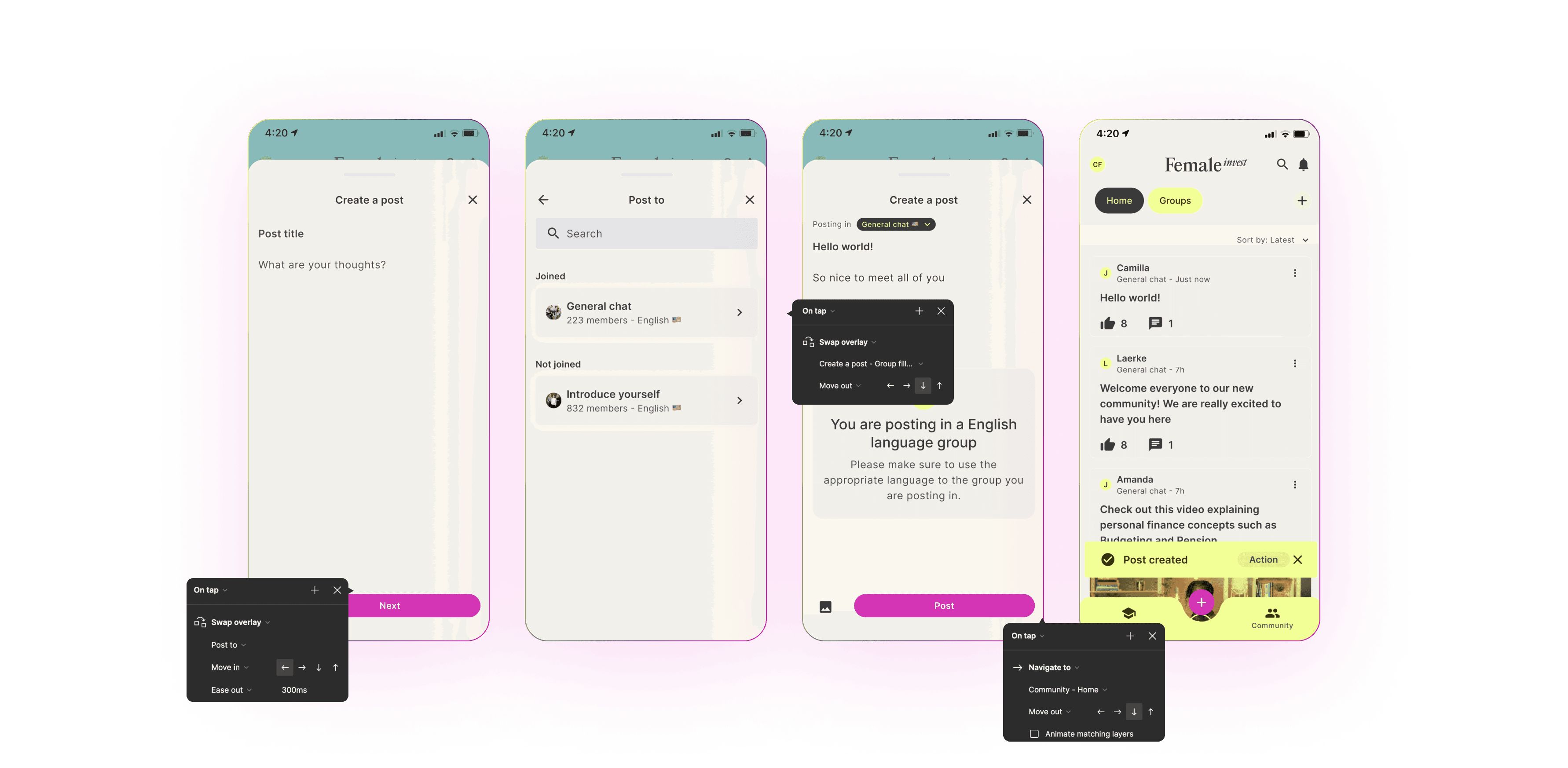
From left to right: Create Post, Select Group, Add Content, Success notification
Designed a basic Design System to streamline Product to Design to Engineering communication
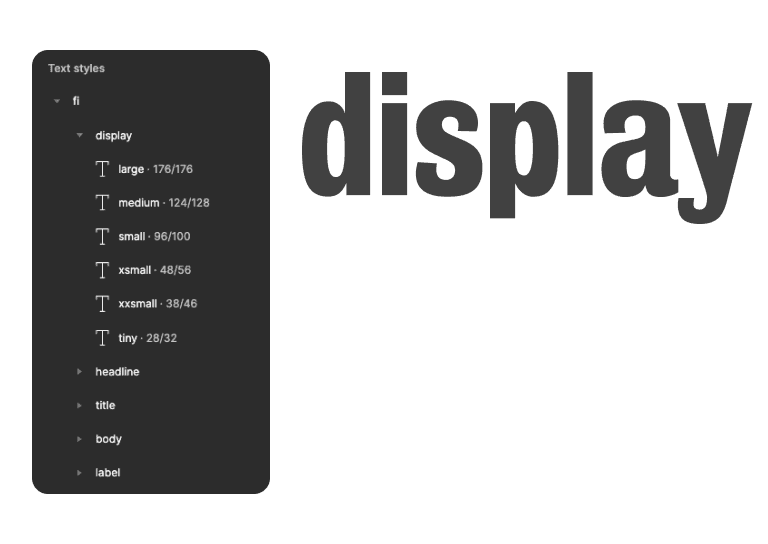
Typography Scale & Structure
Took inspiration from the Material Design typography scale for structure. Worked with the brand team to establish font family and sizing.
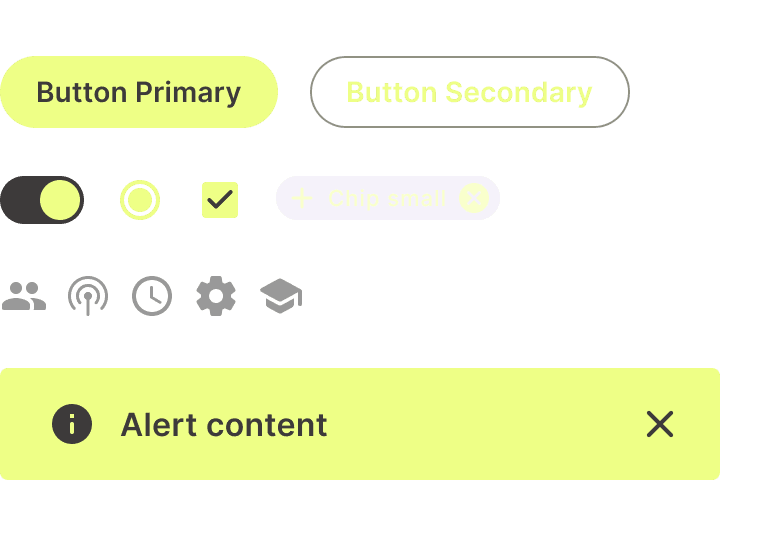
UI Library
Created a UI library with Buttons, Selection Controls, Icons and Notifications. Focused on keeping it simple and on a small scale.
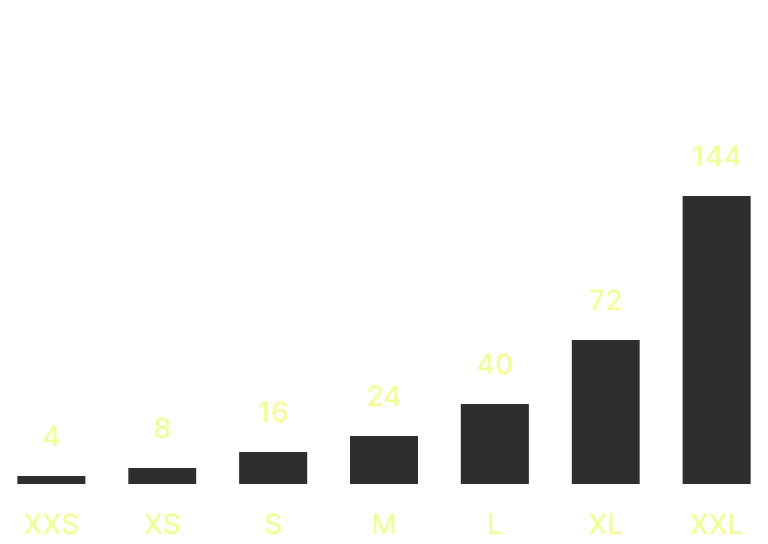
Spacing Rules
Every single design starting from the UI library to mockups and prototypes uses the 4 point scale for spacing, margins and paddings.
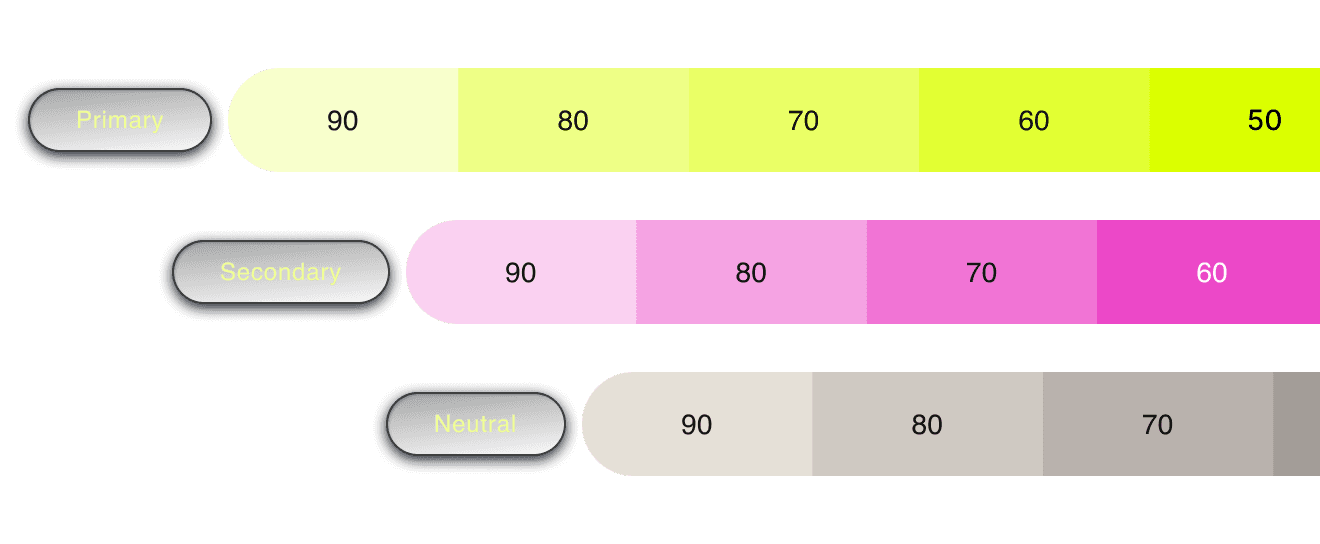
UI Color Scale
Created a UI Color Scale from primary, Secondary and Neutral colors to form the basis of the UI Color Structure. Assigned different values of the scale to specific interaction patterns such as hover, active, pressed, etc. depending on the use case.
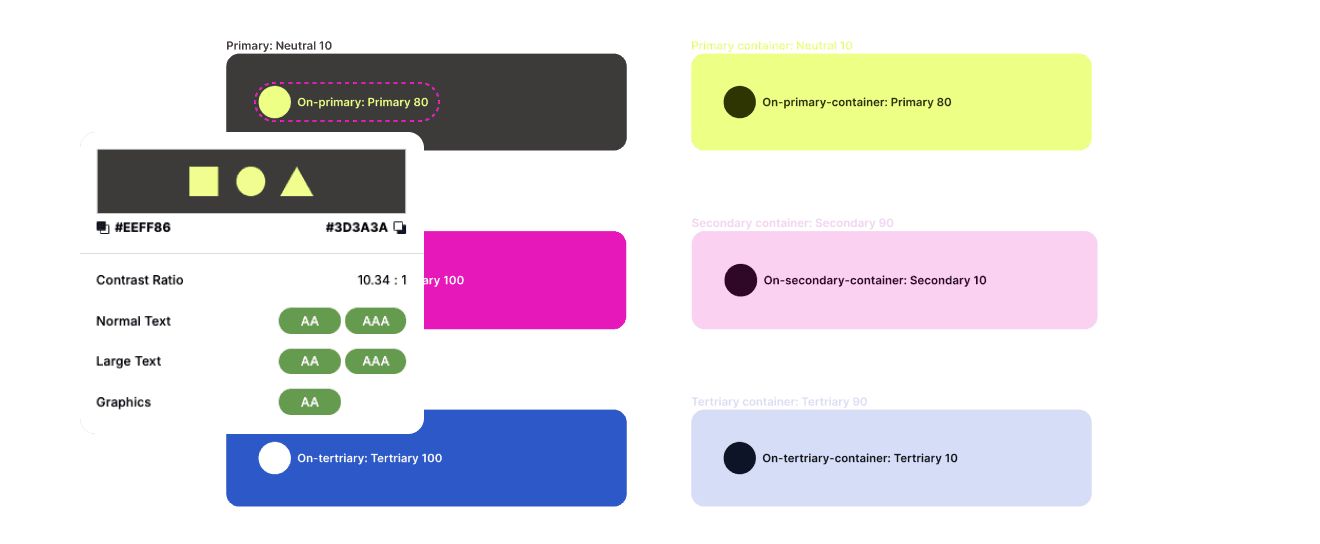
Color Tokens Structure and Accessibility Considerations
Used Google Material UI's color token structure to create color pairings. Paid attention to color contrast ratios to make sure accessibility ratings are passing at AA or above. These pairings formed the basis of my color token structure.
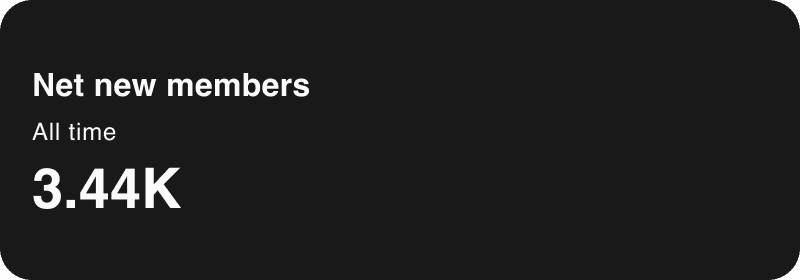
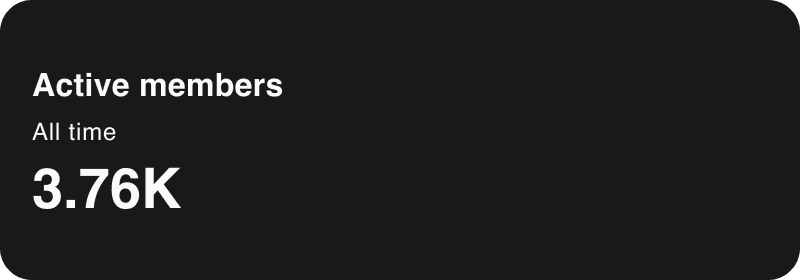
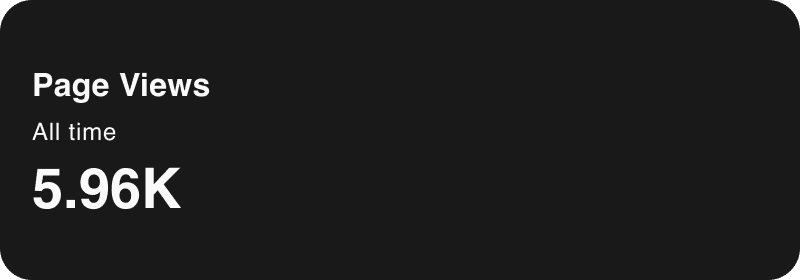
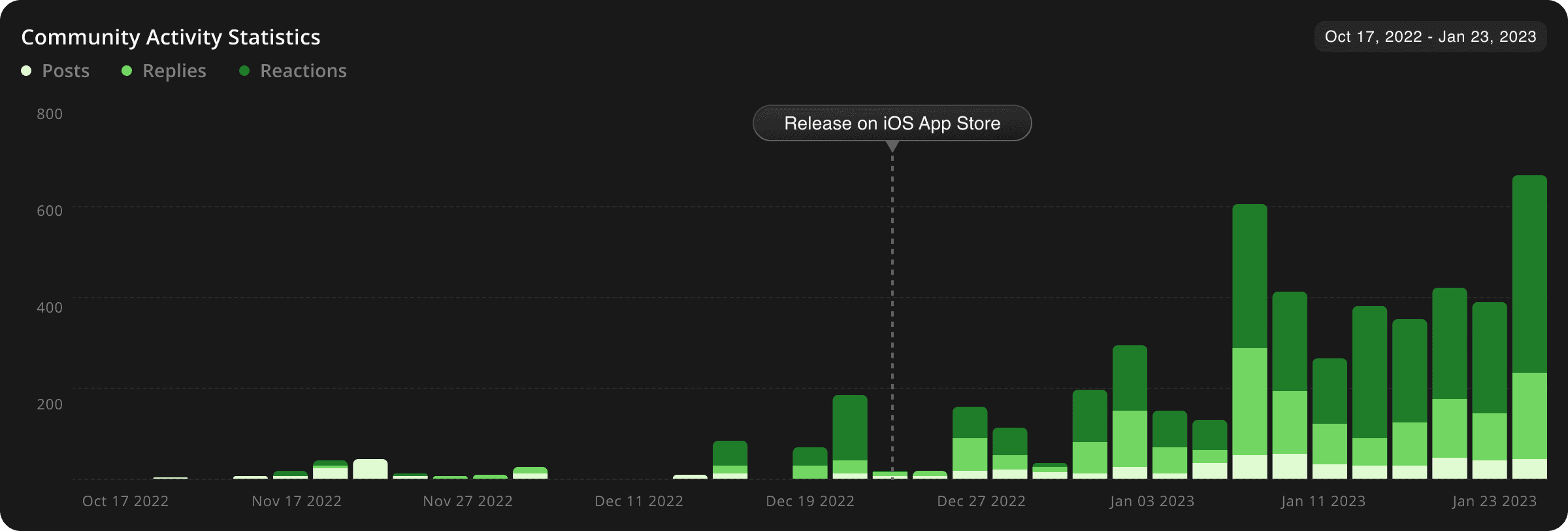
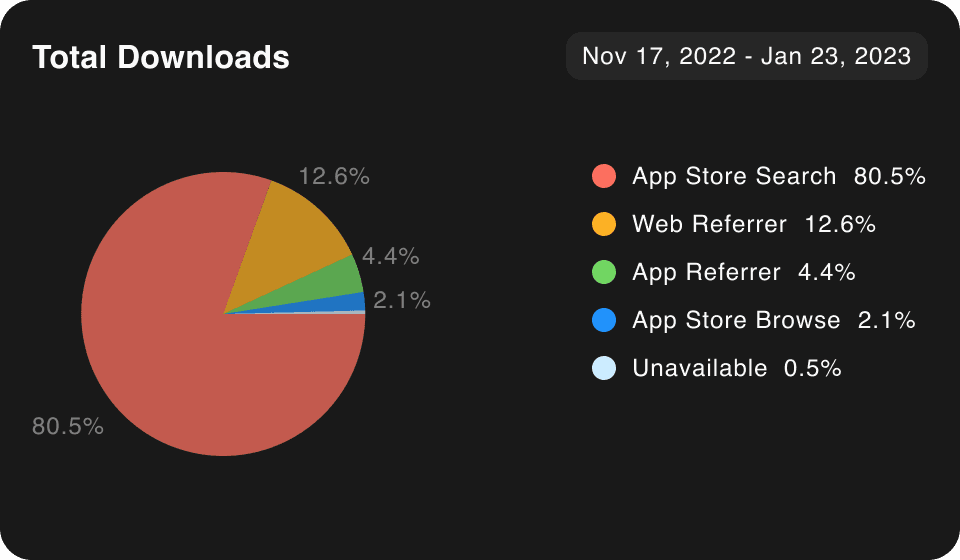
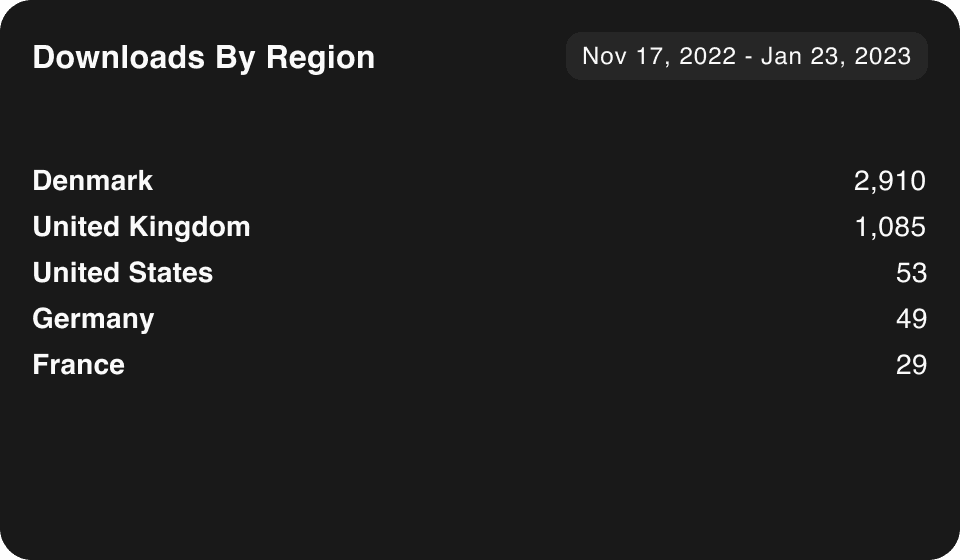
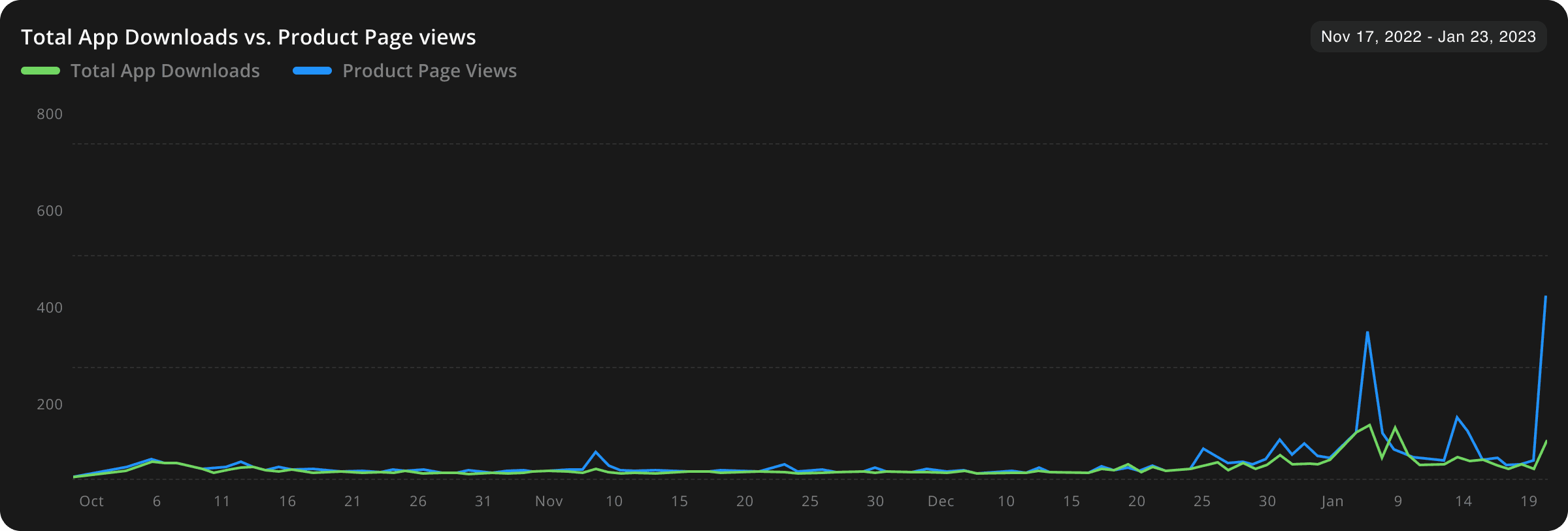
Activity metrics showed a positive trend in usage and app downloads after the launch in iOS app store
Core Team Members
Balazs Korcsog - Product Designer
Amanda Broggard - Product Manager
Paolo Scanferla - IT Architect
Peter Holst - Full-stack engineer
Ivona Brajdic - React engineer
Chibuokem Onyekwelu - React engineer
Support & Feedback
Emma Bitz - Founder
Camilla Falkenberg - Founder
Anna Hartvigsen - Founder
Maiken Mogensen - Content manager
